

What you will get
Your agent will have its own identity, tone, process, limits, and hours. And you will know how to publish those changes — or discard them — without them reaching your customers too early.Requirements
- An agent created in your account
- Access to that agent. If it does not appear in your AI Agents list, ask whoever administers the account
Where behavior is edited
Behavior is edited on a single screen, split in two. In the sidebar, go to AI Agents, open your agent, and go to the Behavior tab.- On the left there is a chat with two modes. Test talks to your agent. Edit behavior is an assistant: you describe in plain words how you want it to work and it fills the sections in for you. It accepts file attachments and voice notes.
- On the right are the configuration sections, grouped into Identity, Knowledge, How it works, Timing & proactivity, and Limits.
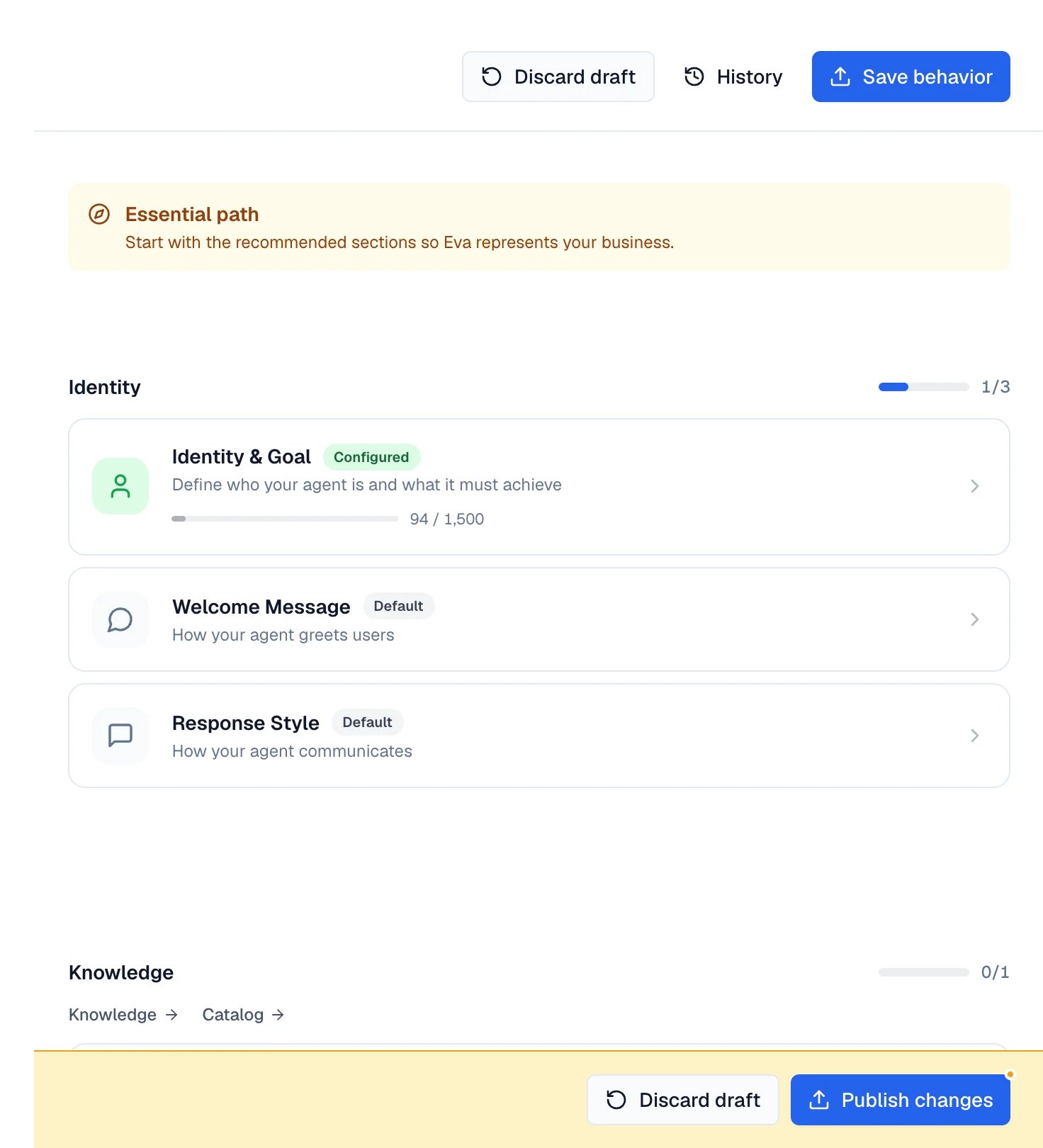
Behavior in two halves: the chat on the left, the sections on the right.
The sections that define your agent
Each card on the right opens an editor. Every card carries a badge saying whether you already configured it or whether it still runs on defaults.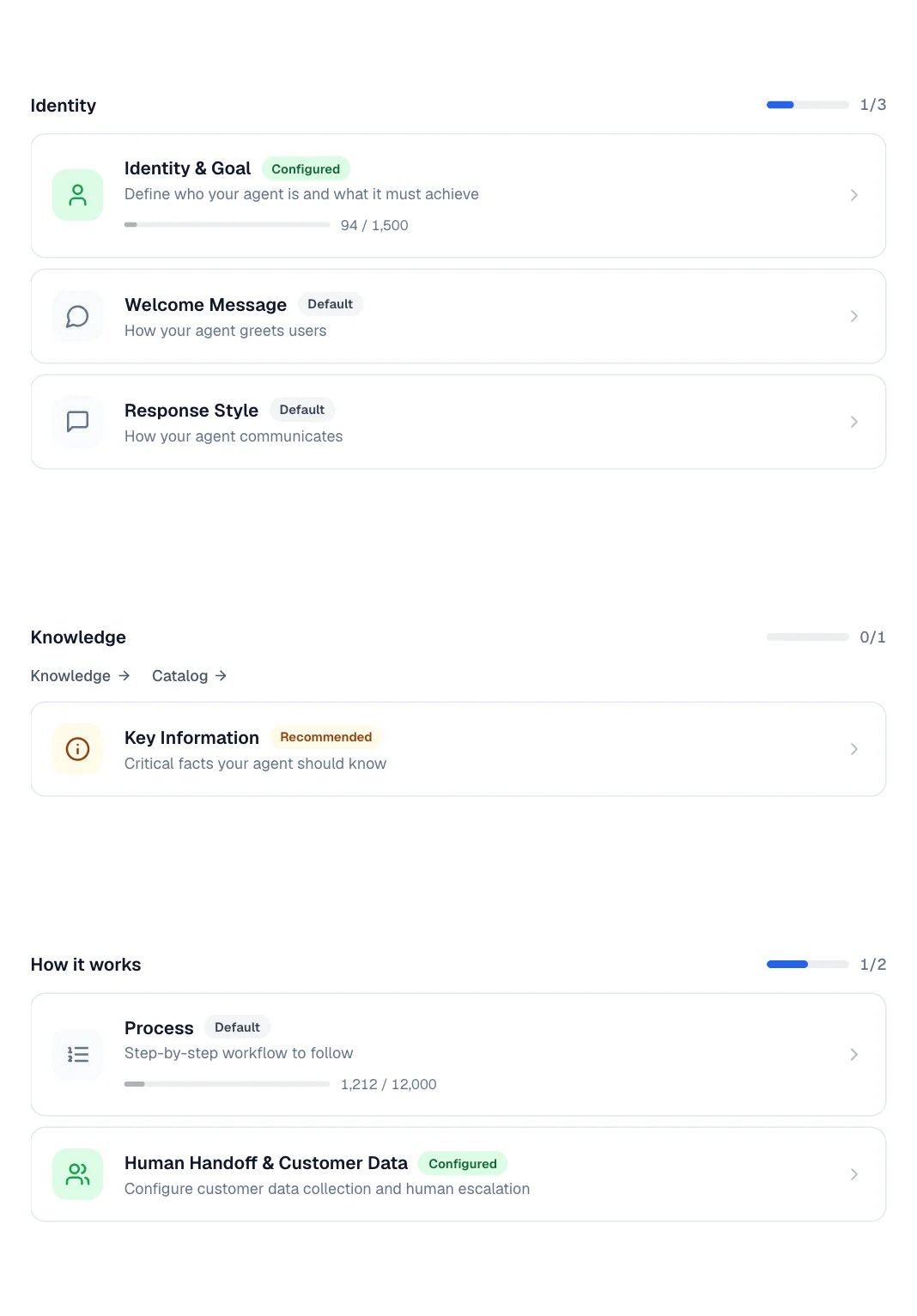
The Identity, Knowledge, and How it works cards, each with its status badge.
- Identity & Goal — who it is and what it must achieve in each conversation.
- Welcome Message — how it greets someone writing for the first time. It includes an optional Legal Notice, shown under the greeting in the widget, and Welcome Instructions, which guide the opening without being shown to the customer.
- Key Information — facts it should have at hand: hours, policies, emails, phone numbers.
Response Style
This is where tone lives: Response Length, Tone of Response, Register (formal, close, or match the customer), and Use emojis in responses.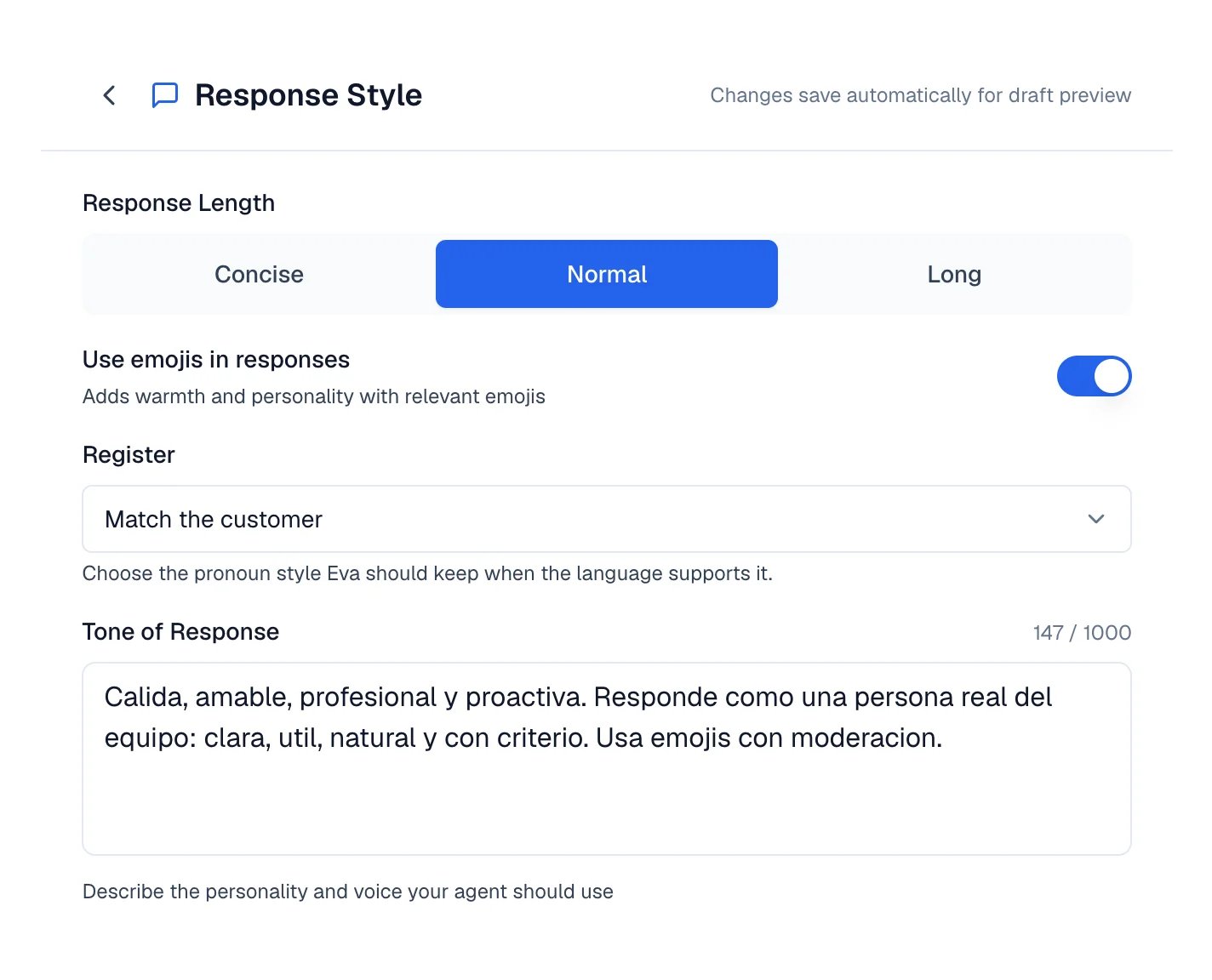
The Response Style editor with length, emojis, register, and tone.
Process
The step by step it must follow. Steps are dragged to reorder, accept substeps, and are added with Add Step.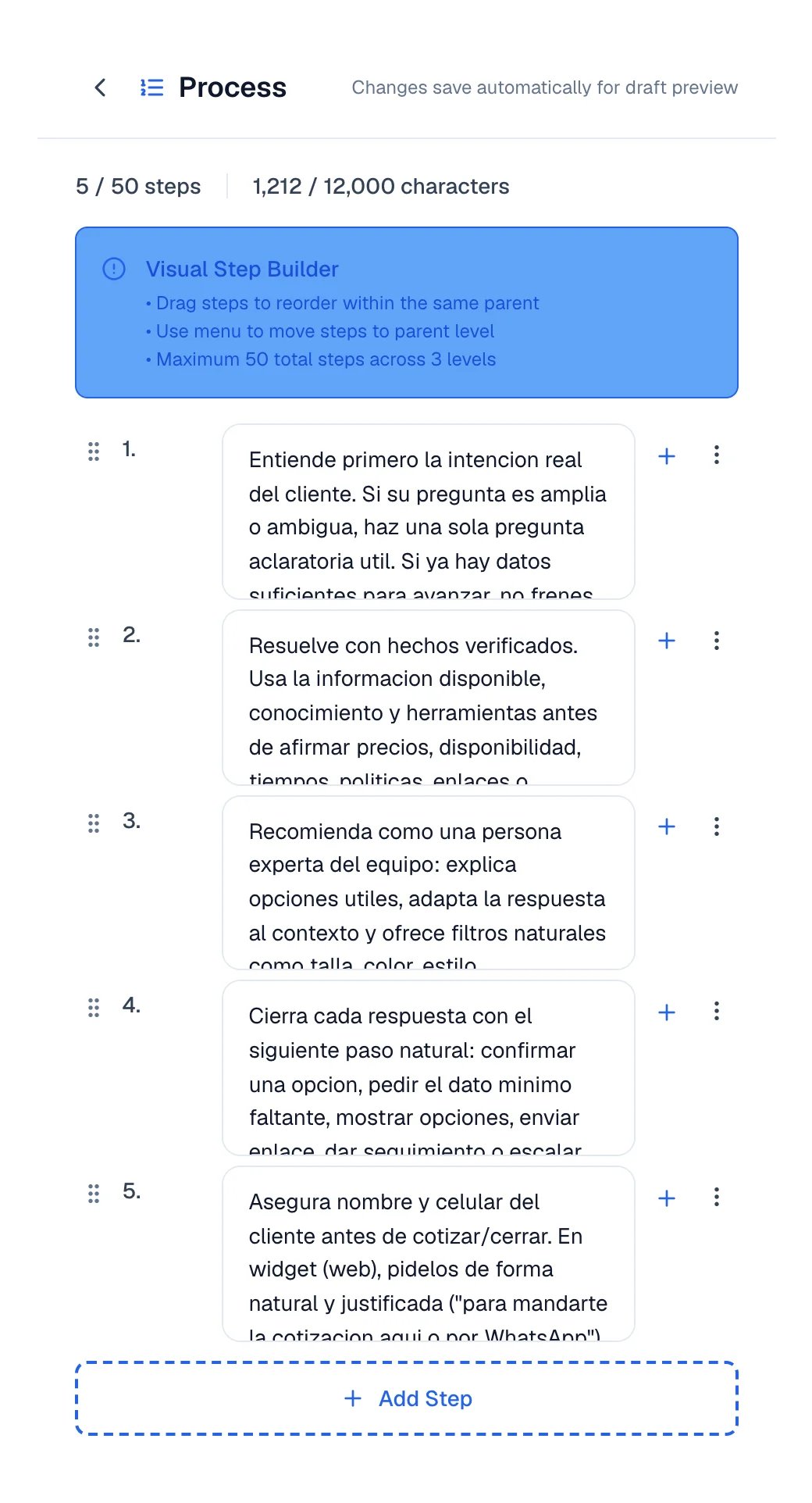
The visual step builder, with the step and character counters.
Human Handoff & Customer Data
Gathers Lead capture, Manage opportunities, and Allow human escalation. When you turn escalation on, you define When should Eva escalate? and the Assignment strategy: Manual, Round-robin, or Intelligent.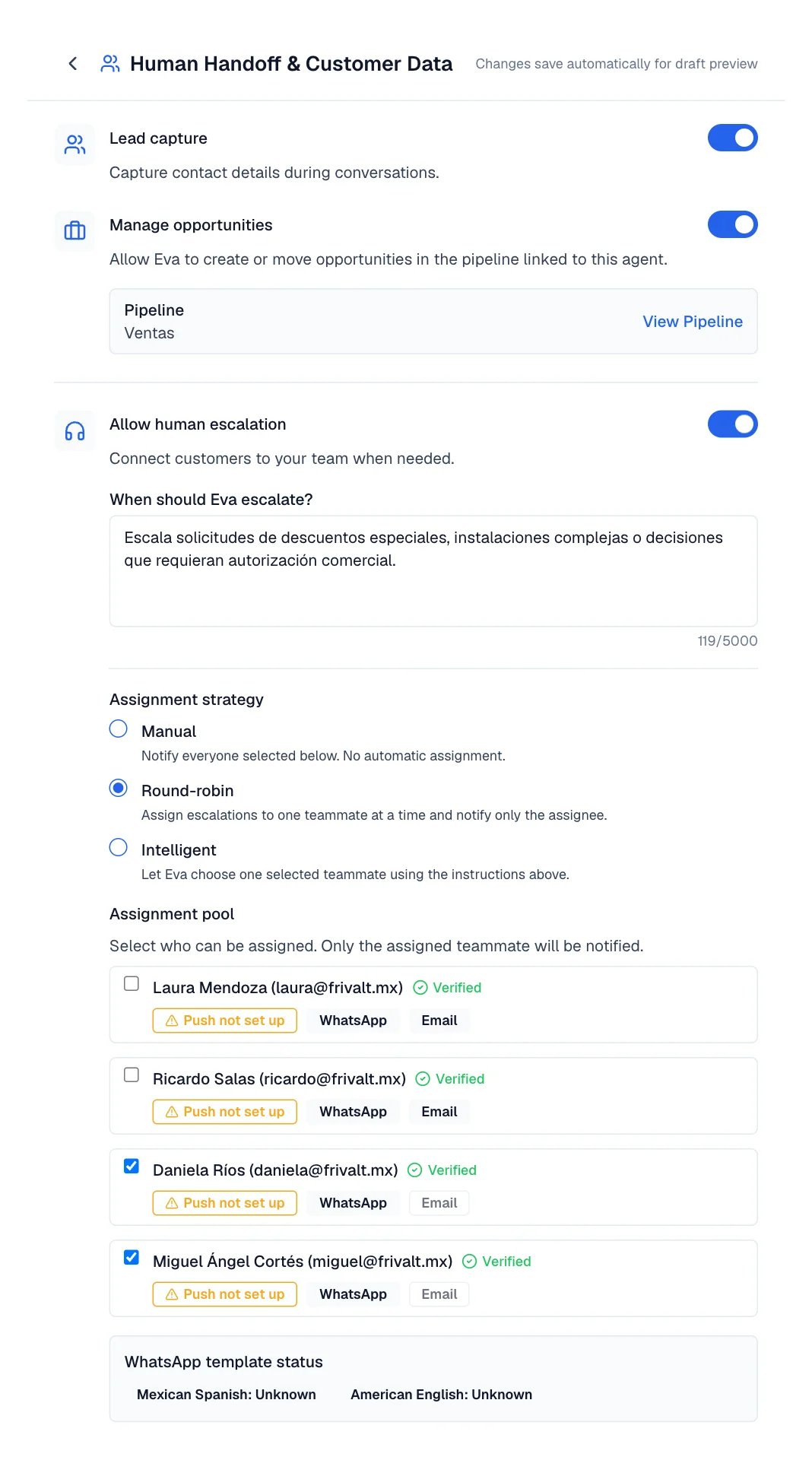
The handoff editor, with the linked pipeline and escalation still off.
Timing, follow-ups, and limits
The Timing & proactivity and Limits sections decide when your agent speaks and how far it can go.Follow-ups & reactivation
If the customer stops replying, Eva can pick the conversation back up. Inactivity follow-up turns the feature on, and the Follow-up sequence defines each step: how long to wait and what its intent is. The sequence stops as soon as the customer answers. Allow targeted follow-ups lets Eva schedule reminders with a goal of their own.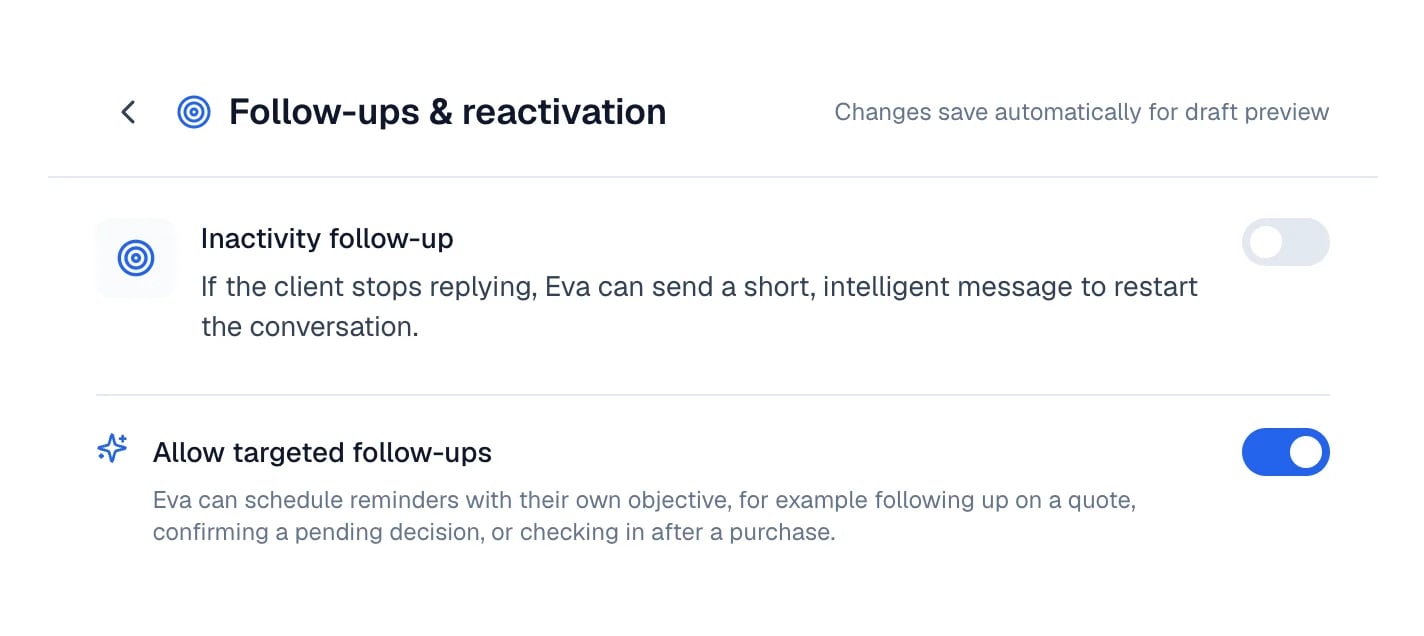
The two follow-up switches, off by default.
Availability & timing
Only respond during a schedule limits Eva to the hours you define, with a Timezone and one schedule per day. Outside those hours it neither reads nor replies; at opening, it handles what piled up. After closing lets an already active conversation keep flowing for a few minutes. Response timing adds short waits so it does not answer instantly.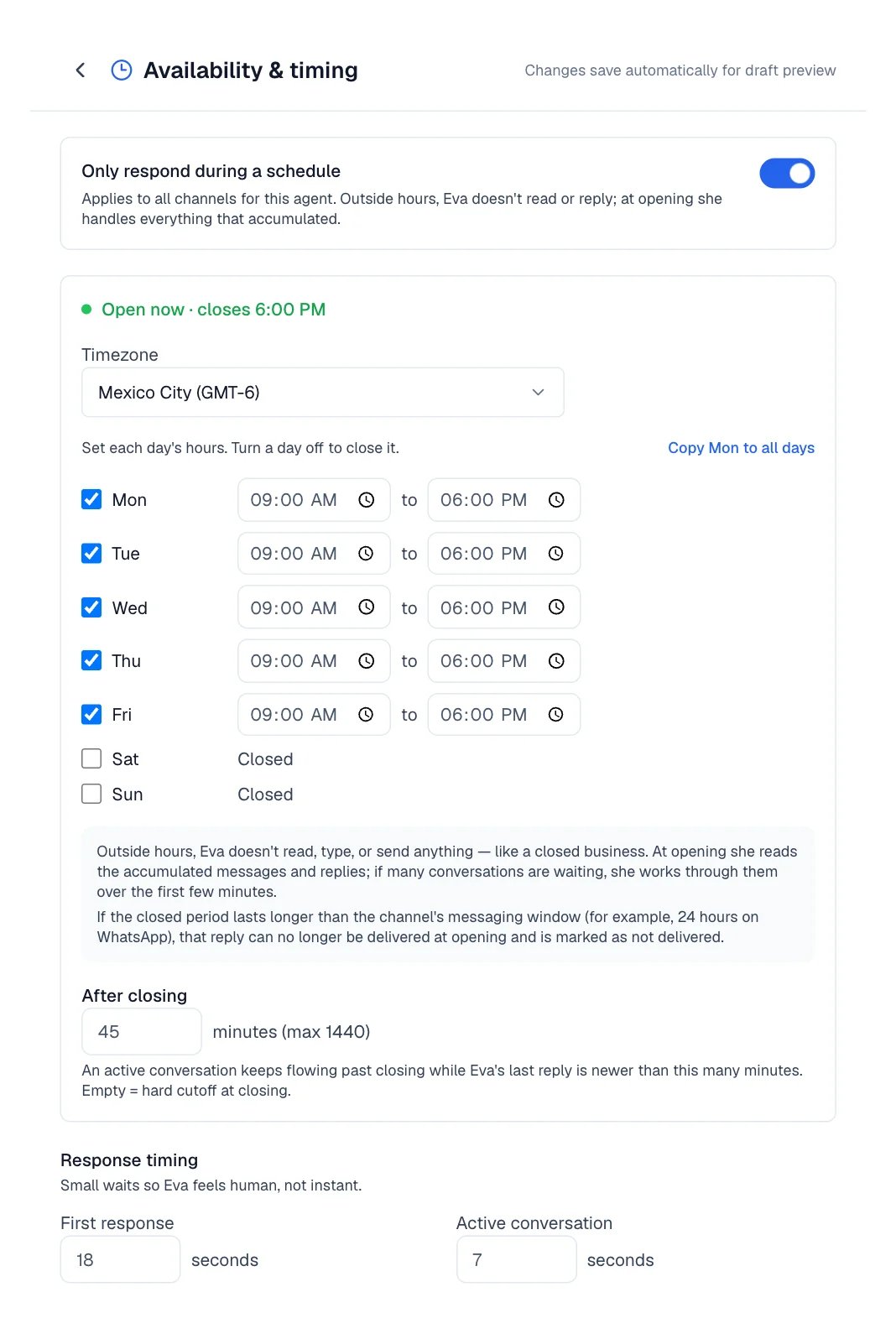
Availability: the schedule plus the first-reply and active-conversation waits.
Do Not Do
The explicit limits. It ships with recommended restrictions, and Reset to defaults brings them back if you delete them.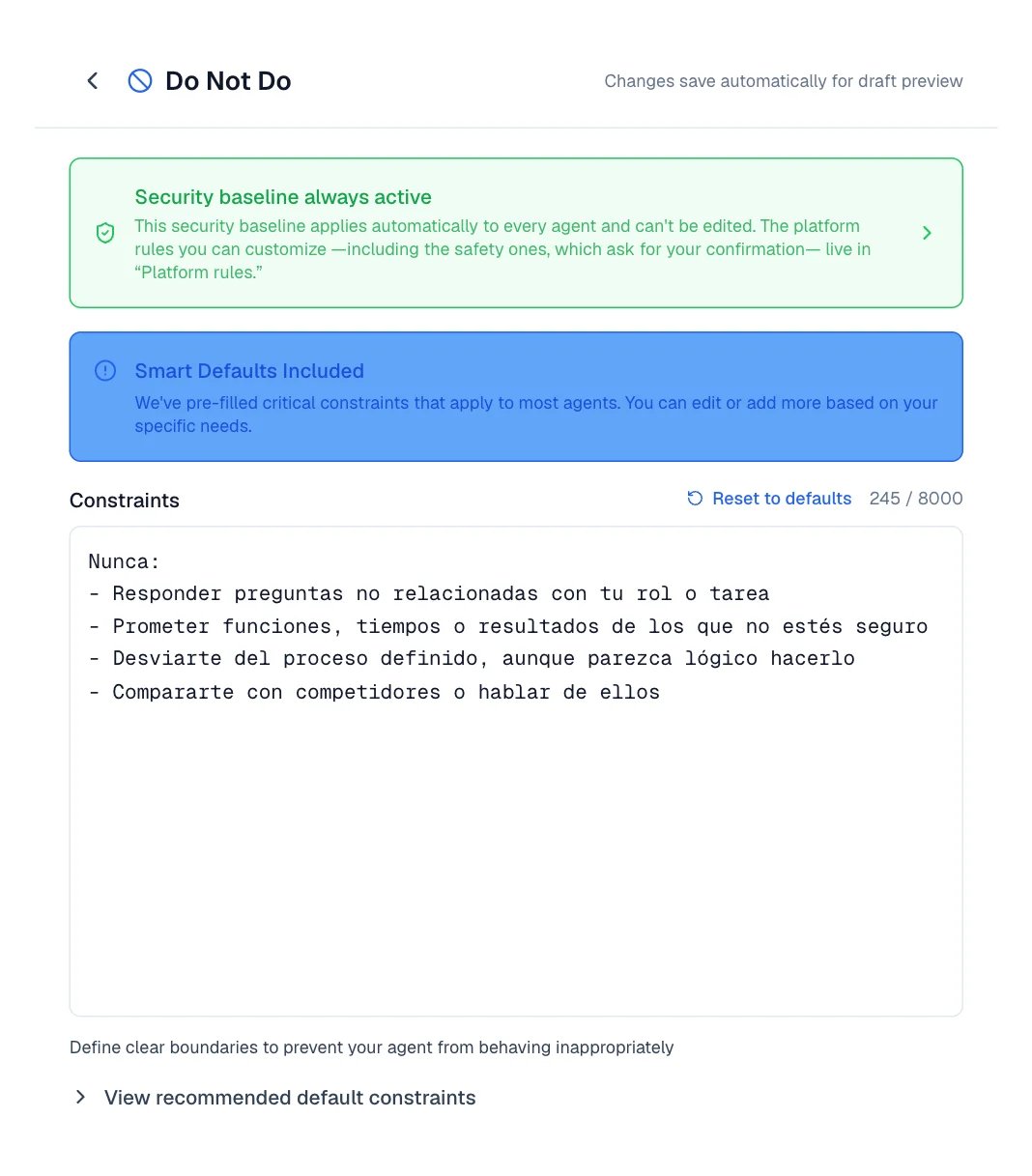
Do Not Do: the non-editable safety baseline sits above your own restrictions.
Publish your changes
Nothing you edit reaches your customers until you publish it. Everything is saved in a draft.Edit a section

The indicator sits beside the actions as soon as the draft has pending changes.
Test it before publishing
Publish
Or discard
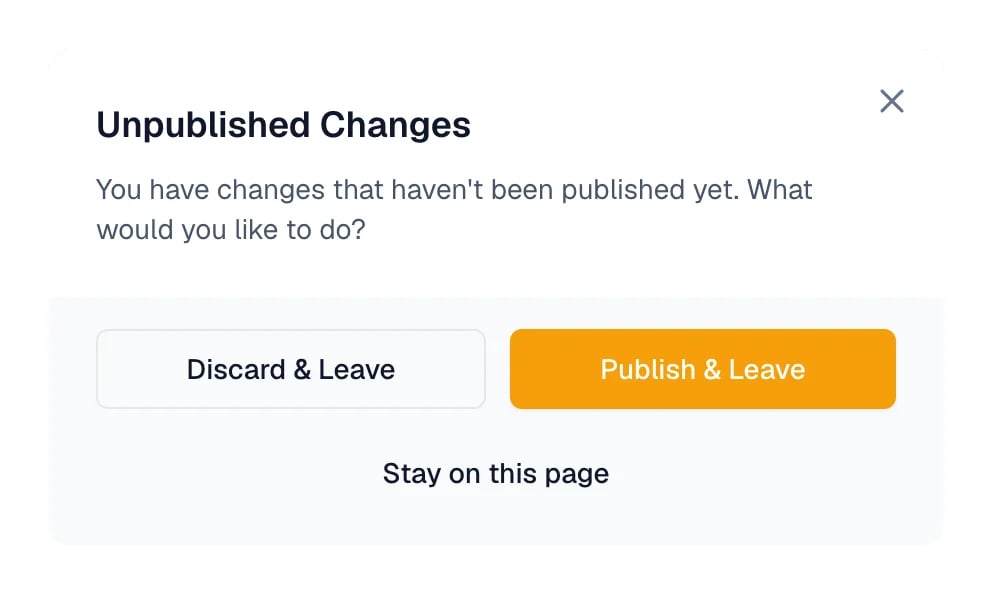
The prompt shown when you leave Behavior with a pending draft.
Recover an earlier version
History, in the action bar of the Behavior tab, keeps the last 50 edits of this agent: what you published, the drafts you discarded, and the changes the assistant made. When you open an entry, Eva shows which sections differ from your current draft. Restore this version brings it back into the draft, and your draft at that moment is saved to history first, so you can go back.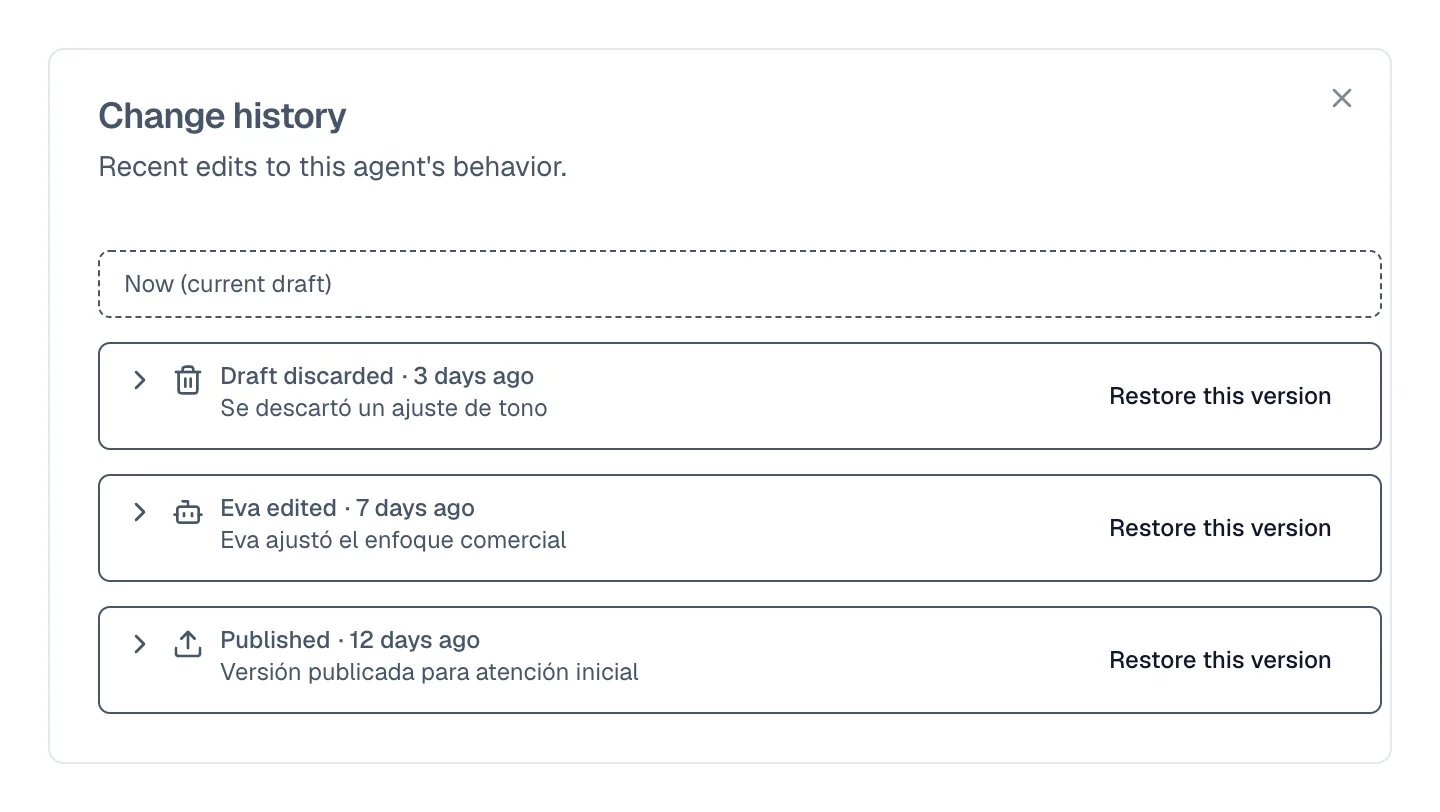
Each entry says what caused it and when, above your current draft.
How many messages Eva handles in an hour
Each conversation has a cap on inbound messages per hour. It exists so a customer who writes fifty messages in a row does not trigger fifty replies. In your agent, go to the Settings tab and find Conversation Message Limit. The field Messages per conversation per hour comes set to 40 and can be changed; then select Save Changes.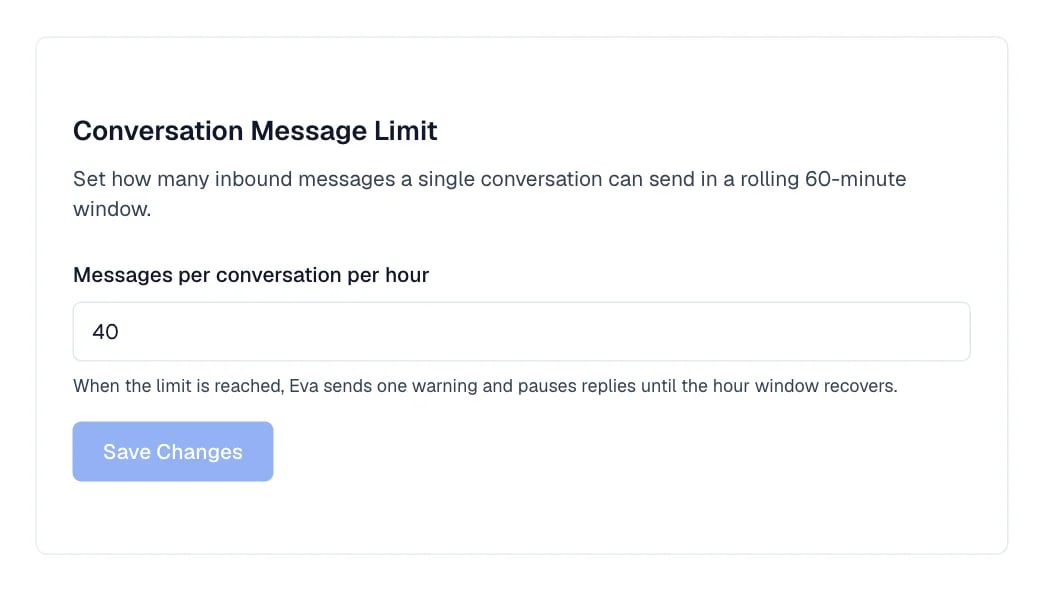
The per-conversation cap lives in the agent's Settings tab.
How to know it worked
- The Unpublished changes indicator disappears and says Published instead.
- In History, the most recent entry appears as Published.
- In the chat, with Test mode, ask your usual question: it answers with the new setup.
If something goes wrong
- Publishing does nothing and shows Nothing to publish: there is no pending draft. Edit a section and publish again.
- It published with warnings: Published with warnings: appears at the top with the list. Fix what it points at and publish again. Empty Process steps, for example, are skipped.
- The assistant changed something you did not want: open History and use Restore this version, or select Discard draft if you have not published yet.
- Your agent stopped replying in one conversation: it probably hit the hourly message cap. Check Conversation Message Limit in the Settings tab.