

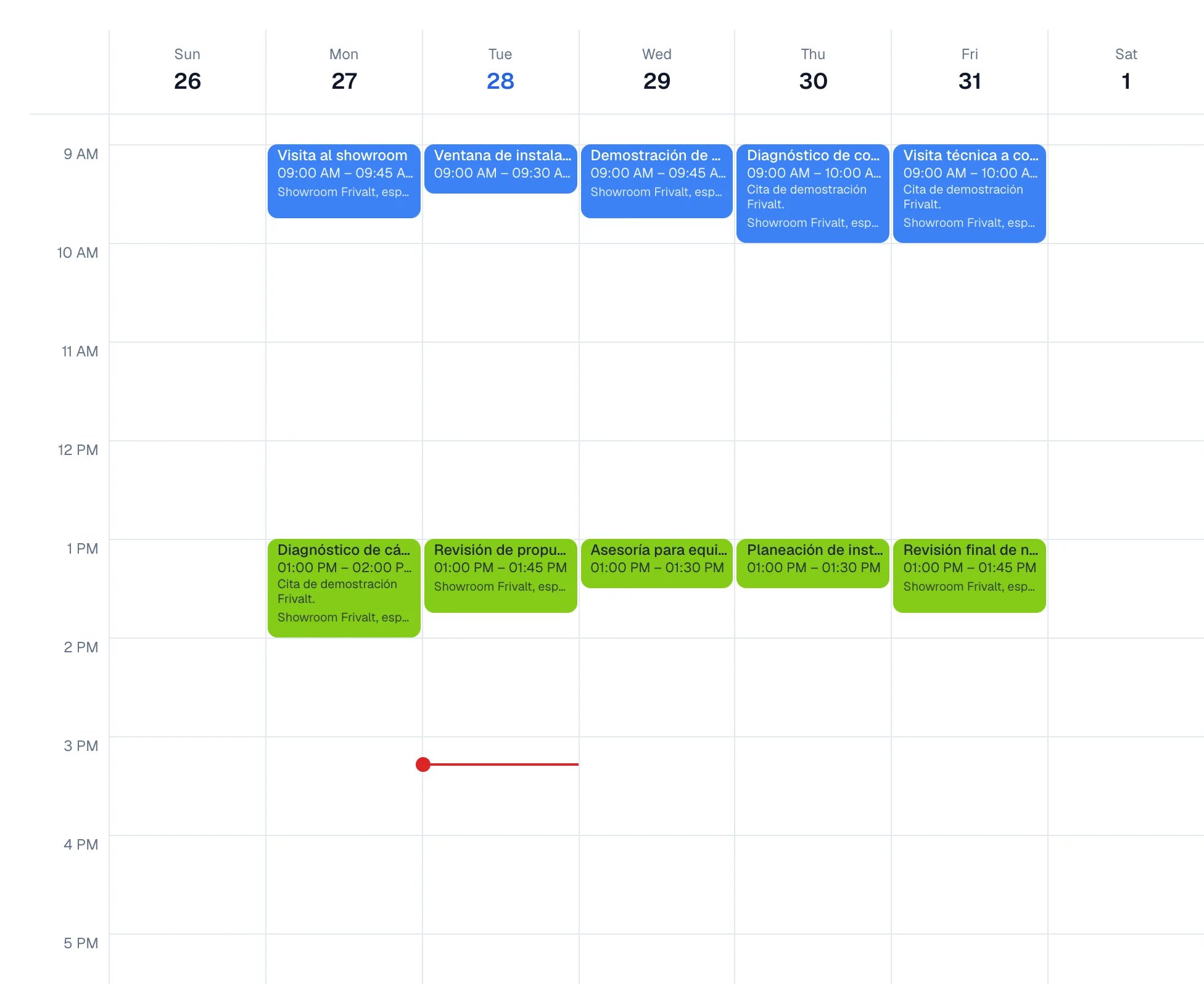
The week, with every appointment on its day and at its hour.
What you will get
You know how to create an event with its reminders, move between day, week, and month, and see only your own work or the whole team’s. You also know how to recognize when an event is stopping your customers from booking.Requirements
- At least one calendar. Your workspace comes with one; you can create more.
- Access to the Calendars module. If it does not appear in the side menu, ask whoever administers the account.
Create an event
1
Open the form
In Calendars, select Create. You can also select the day and hour directly on the grid.
2
Give it a title and a time
Fill in Title, Start time, and End time.
3
Choose the calendar
Under Calendar, choose where the event lives. It is required.
4
Add the detail
More options opens Location, Description, Guests, Remind the customer, and
Repeat.
5
Decide the reminders
Under Remind me, choose a reminder time.
6
Save
Select Create. The event appears on the grid.
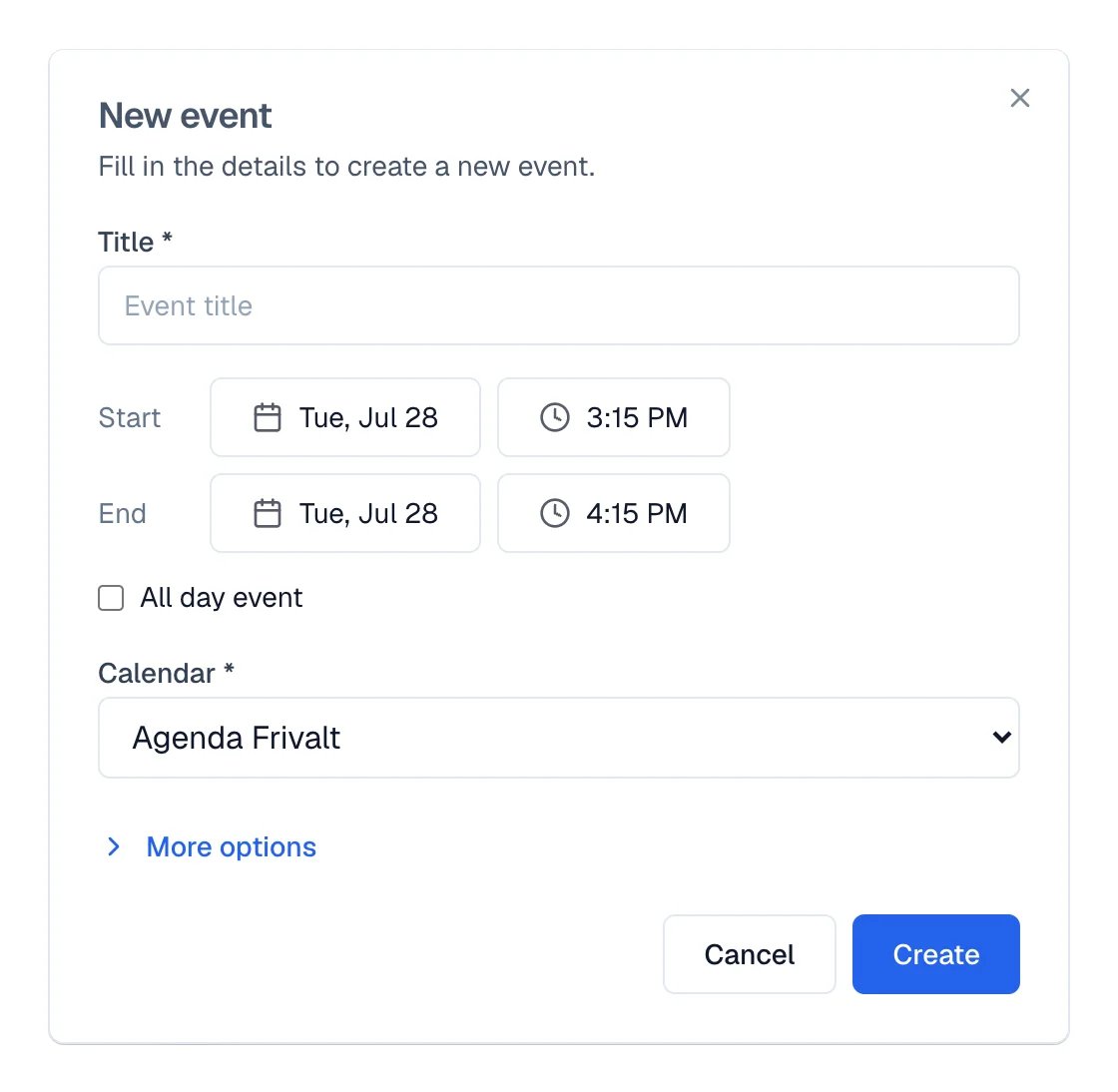
The form with the minimum: title, times, and calendar.
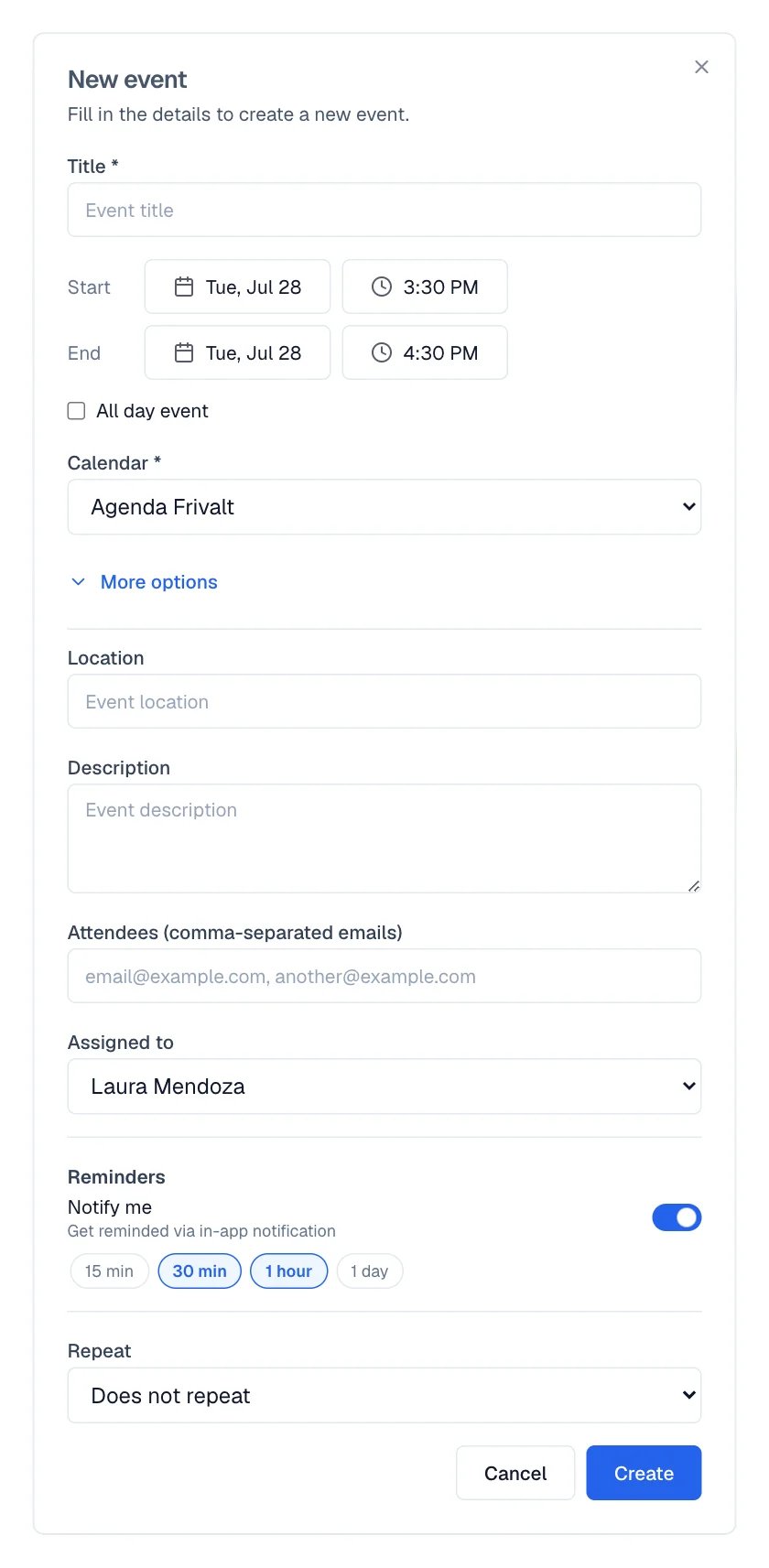
With More options open, the attendees, the reminders, and the repeat rule appear.
Remind the customer appears only when the event has a contact linked. It uses the reminder
policy your business already set up.
Switch views and filter
At the top are Day, Week, and Month, and Today returns to the current date. The mini calendar on the left jumps to any day. In the left column, Team lets you show or hide each person’s events. You can also use Not confirmed (today and tomorrow) to focus on appointments that still need a reply. On a phone, the filters icon opens the same panel.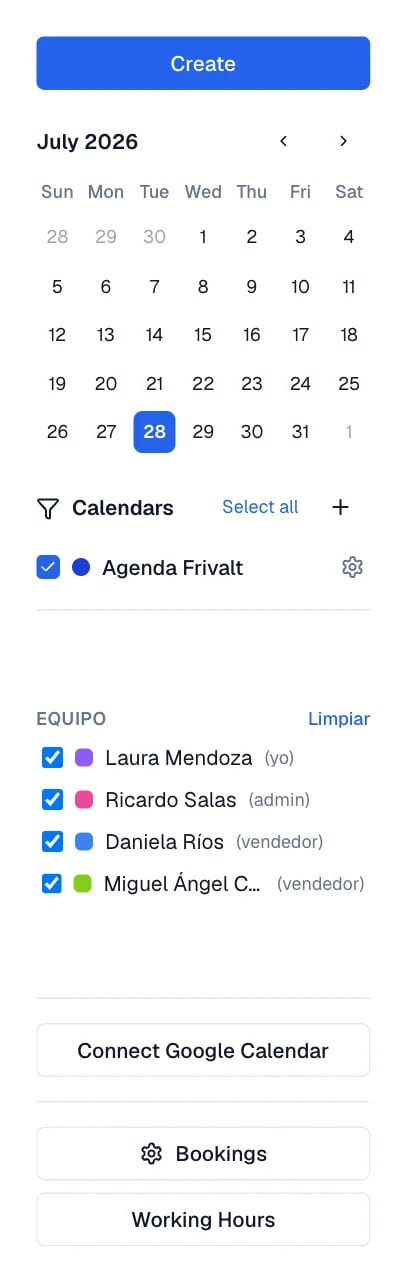
The left column: mini calendar, calendars, team, and the buttons at the bottom.
Recurring events
Inside the event, Repeat starts on Does not repeat and offers Daily, a weekly option on the chosen day, Monthly, Yearly, or Custom, with how often it repeats, on which days, and when it Ends. When you open a recurrence to edit it, Eva opens the original series and warns that the changes apply to the whole series. To drop a single date, use Cancel this occurrence. To end the whole series, Delete series.When an event blocks your customers’ appointments
If an all-day event is marked as busy in Google Calendar, your customers cannot book on those days. It is the most common cause of “my agenda looks full and it is not”. When that happens, a notice appears above the calendar counting the events blocking availability, with the line “Customers cannot book during these times.”1
Open the detail
In the notice, select View. Events Blocking Availability opens with the full list.
2
Free what should not block
Select Make Free on each event, or use the button that marks all of them free at once.
Create a new calendar
In the calendars panel, the create button opens Create calendar. It asks for Name, Color, and Timezone; if you leave the time zone on the workspace value, it inherits your account’s. Calendar Settings lets you change those same details later. Calendars brought in from Google are edited in Google, not here.How to know it worked
- The event appears on the grid, in its calendar and with its color.
- When you open it, the title reads Edit event and the values are the ones you saved.
- If you freed up slots, the notice about events blocking availability disappears.
If something goes wrong
You already have an event at that time
You already have an event at that time
There is an overlap with another event. Change the time, or look at that day’s grid to see what
is occupying it.
The event falls outside your working hours
The event falls outside your working hours
The time you chose falls outside the windows configured in Business hours. Adjust the event
time or the working hours.
I cannot delete a calendar
I cannot delete a calendar
The workspace default calendar cannot be deleted, and neither can Google calendars: those are
removed by disconnecting Google.
My customers cannot book and I do not see why
My customers cannot book and I do not see why
Check the notice about events blocking availability, and then the Business hours and the
Minimum notice (hours) of the appointment type.