

Where you land when you sign in
When you sign in, Eva opens the Inbox, with your conversations. From the menu on the left you can reach any other section.What is in the menu
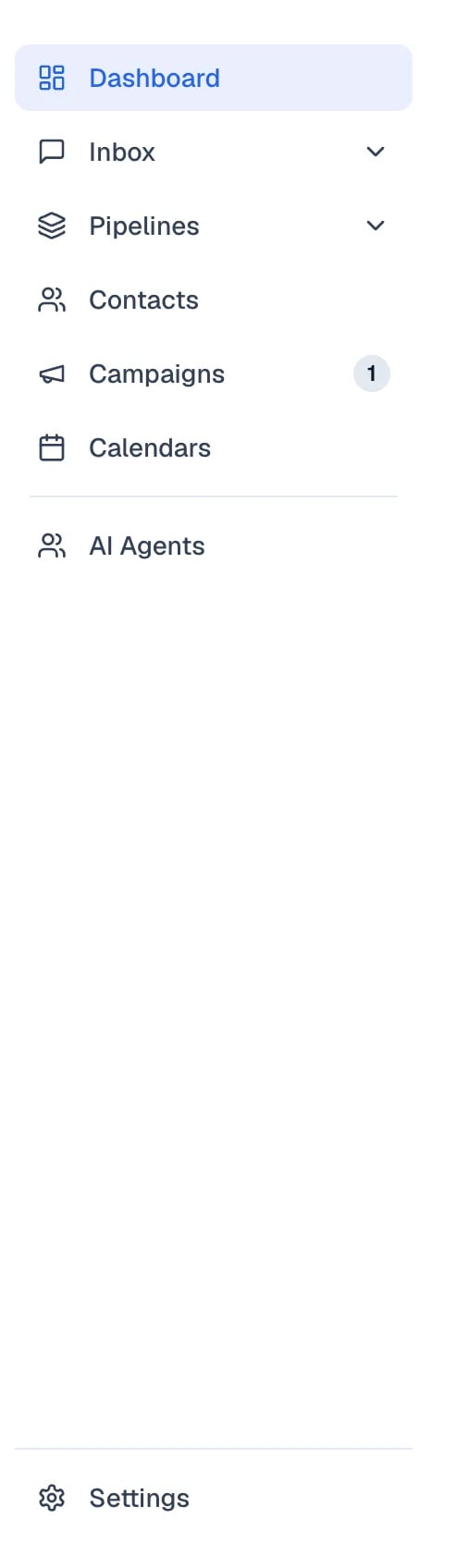
The menu on the left, from Dashboard down to AI Agents. Settings sits at the very bottom.
- Dashboard — a summary of your activity: conversations, sales, and how your team is doing.
- Inbox — your conversations. They are grouped into Inbox Chat (WhatsApp, Instagram, Facebook Messenger, voice, and the widget on your website), Inbox Mail and, when it applies, Inbox Comments.
- Pipelines — your sales opportunities, organized by stage.
- Contacts — your customers’ details: name, channel, and company.
- Automations — campaigns and follow-ups Eva sends on its own.
- Calendars — your team’s appointments and events.
- AI Agents — where you create and configure your agents.
- Settings — at the very bottom of the menu: your account, your team, your integrations, your Subscription, and your Usage.
Why you do not see a section
The menu is not the same for everyone on the team. Each section depends on the permissions of your role, so a salesperson does not see AI Agents by default, even though an administrator does. Permissions are managed in Settings, in the Members section. Two cases cause confusion often:- Inbox Comments appears when there is an Instagram account with automatic comment replies turned on, or a connected TikTok ads account. Without either one, the view is not shown.
- Inside Settings, anyone who is not an owner or an administrator sees My profile instead of Members: their own details, without the team list.
What you find in the Dashboard
Open Dashboard to see the state of your business at a glance: activity by channel, response time, and your sales pipeline. If you are an owner or an administrator, the Customize button lets you show or hide panels. What you hide is hidden for the whole workspace, not just for you.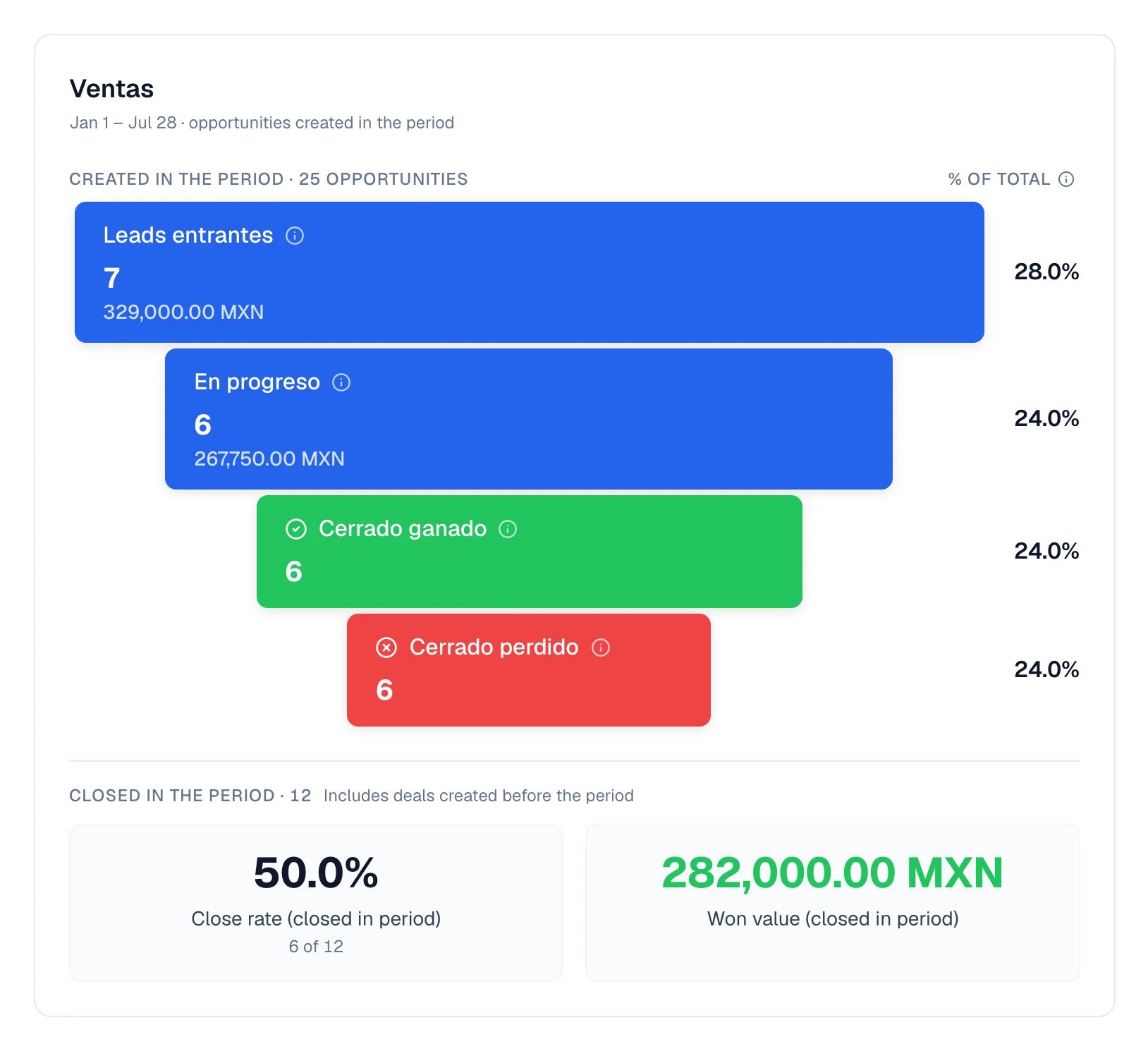
The opportunity summary for the period, on the Dashboard.
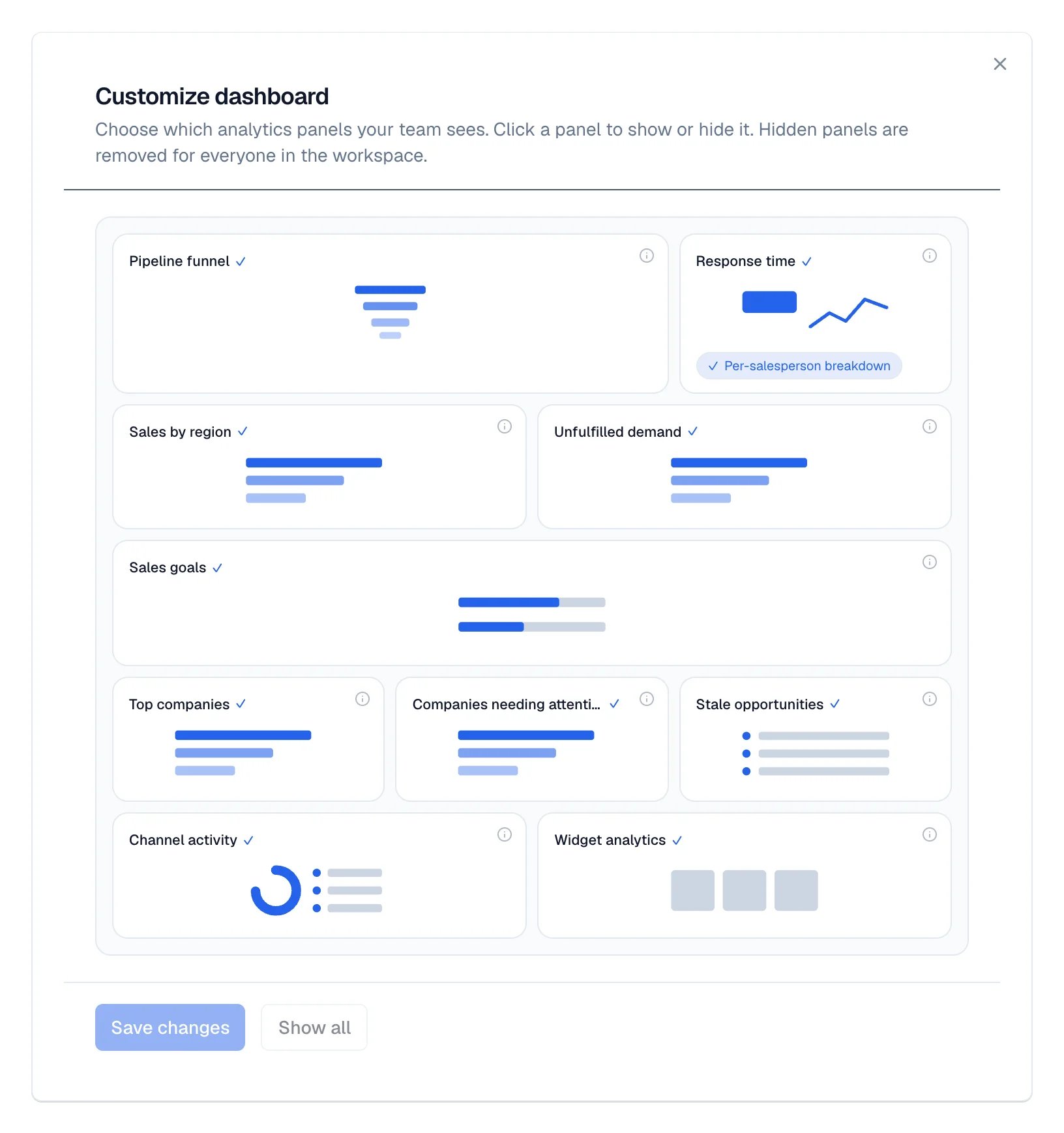
The Customize dialog, where each panel is shown or hidden.