

What you will get
You will find anyone on your list and understand why a contact sometimes “does not appear”. You will also be able to bring your whole list in, or take it out.Requirements
- An Eva account with at least one agent
- A
.csvor.xlsxfile if you are going to import contacts
Your agent saves a contact when it manages to identify the person, and it cannot always do
that. A visitor to your site who leaves no name, email, or phone number stays without a
contact until they identify themselves. Automatic capture can also be turned off per channel.
People and companies
The section has two tabs:- Lists — the people.
- Companies — the organizations. Opening a company takes you to its detail view, with the contacts that belong to it.
The three views of your list
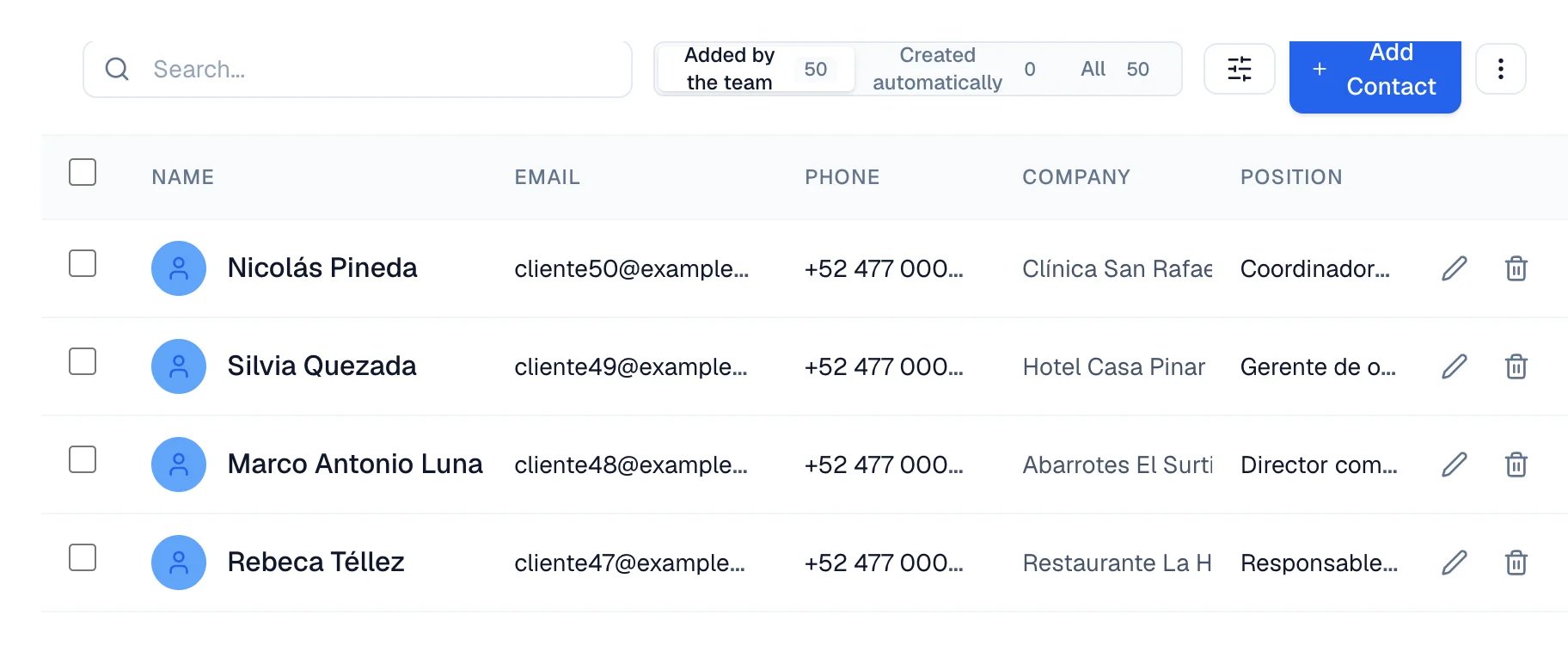
This is the distinction that confuses people most, and it explains almost every “a contact is missing”. Above the list there are three views, each with its own count:- Added by the team — contacts your team has already worked with: someone edited their details, created an opportunity for them, or left a note. This is the view that opens by default.
- Created automatically — contacts your agent or another route created, without anyone on the team touching them.
- All — the two above together.
Work with your contacts
- To capture someone yourself, select Add Contact.
- To find a person, type their name, email, or phone number in the search bar.
- To choose which details you see, use Customize contact columns.
- To correct or remove, use Edit contact and Delete contact on each row.
- To move your list, open More actions: Import file accepts
.csvand.xlsx, and Export downloads your list as a CSV file.
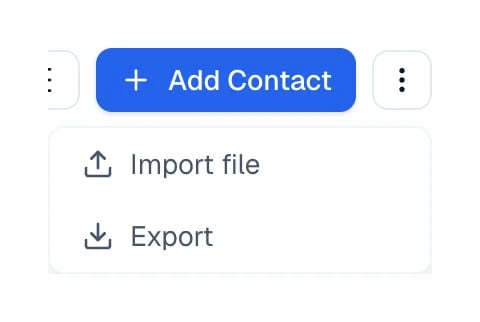
More actions is the last control in the toolbar, to the right of Add Contact.
Mark as team
From the Inbox, open the⋯ menu on a customer conversation and choose Add
to team. Before you confirm, Eva explains what changes: it stops replying,
archives open opportunities, and cancels follow-ups, scheduled sends, and
campaigns. When you confirm, the conversation leaves the customer list and
appears under Team. You can use Undo immediately afterward.
How to know it worked
After importing, Eva shows how many contacts it created and how many rows it skipped, with the errors listed by row number. The new contacts appear in the All view.If something goes wrong
A contact I know exists does not appear
A contact I know exists does not appear
Switch to the All view. If your agent created it and nobody on your team has touched
it, it lives in Created automatically, and the default view does not show it.
I want to see a person's whole history
I want to see a person's whole history
The people list does not open a detail record. From each row you can edit their details or
delete them; their conversations are read in the Inbox.
My import skipped rows
My import skipped rows
Eva lists every error with its row number. Fix those rows in your file and import it again.