

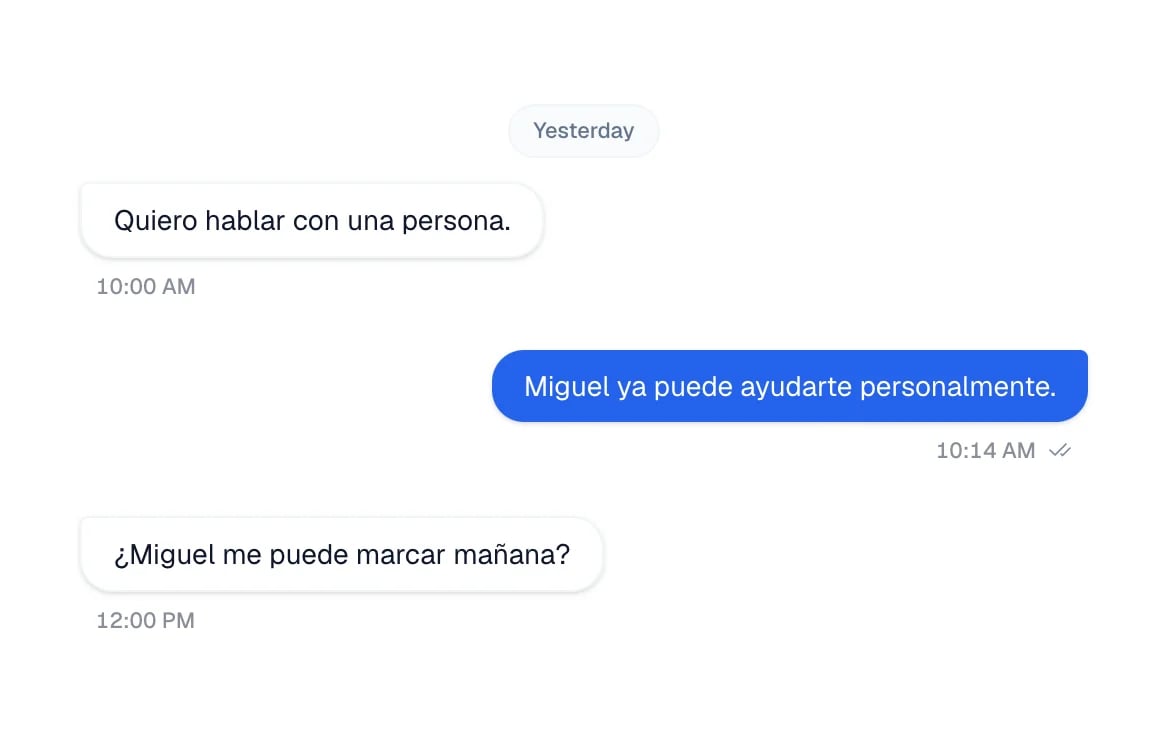
What you will get
You will know which inbox holds each kind of message, and how to reach one specific conversation. You will also read, without guessing, the badges that say who is handling it.Requirements
- An Eva account with at least one connected channel
- Access to the Inbox. Depending on your role, you may only see your own conversations
Open the inbox you need
There is not one inbox: there are three, and they are not all always available.1
Open the Inbox
In the sidebar, select Inbox. The available inboxes expand underneath.
2
Choose the inbox
- Inbox Chat — WhatsApp, Instagram, Messenger, your website widget, and calls. This is the one that opens by default. Eva has prepared a read-only TikTok Business Messaging Inbox projection, but TikTok direct messages are not available until TikTok approves the app and a redacted live read fixture is verified. Manual replies, assistant replies, and TikTok media sends remain disabled. TikTok Ads is currently limited to ad comments in Inbox Comments.
- Inbox Mail — your mailboxes. Each configured mailbox is listed underneath. When there is none, + Configure mail appears instead.
- Inbox Comments — comments on your posts. It only appears when you have an Instagram account with automatic comment replies turned on, or a connected TikTok Ads account. TikTok comment automation is currently unavailable.
Find the right conversation
On the left is your list of Conversations. To narrow it down:- The view tabs above the list: All, Mine, and No reply. If your role only lets you see your own work, only Mine appears.
- The selector next to Mine: switch between My conversations and each person on your team.
- The search bar: type a name or a number.
- The agent selector: when you have several agents, All AI agents lets you look at one agent at a time.
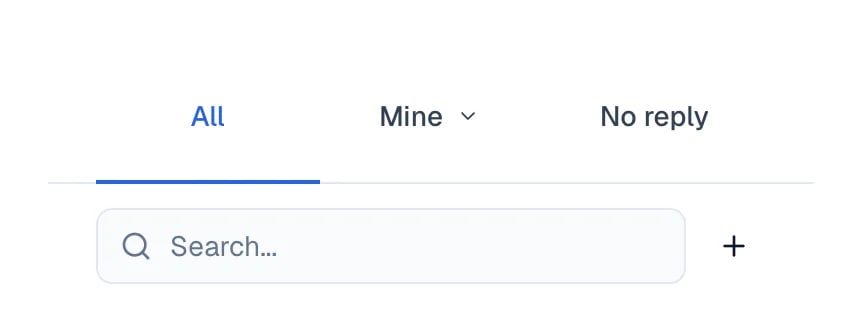
The view tabs and the search bar, above the conversation list.
Shared channels and your pipelines
If your access is limited to certain pipelines, you see conversations from shared channels that send new leads to those pipelines. This includes Instagram, Messenger and shared WhatsApp Business numbers. Your notifications follow the same ownership and your notification preferences. When a channel routes leads to a pipeline with one responsible team member, new leads are assigned to that person and appear in Mine. With several owners, they remain unassigned until someone is assigned. Your personal WhatsApp keeps its own ownership. If someone moves a card into one of your pipelines, you can still read its linked conversation from the card. Moving it does not automatically change its assignee or the channel’s notifications. Administrators and owners keep their full view.Who is handling each conversation
Under each conversation there is a row of badges. They are not always the same ones, and a conversation may show none at all.- No badge — your agent is handling it, and nobody on your team is on record as responsible.
Eva · Ana— your agent is replying, and that person is the one responsible for the customer.- A person’s name — someone on your team took control and is replying in person.
- Assigned — a person is in charge of it, but their name is not available.
- Unassigned — the conversation moved to human hands and nobody has taken it yet.
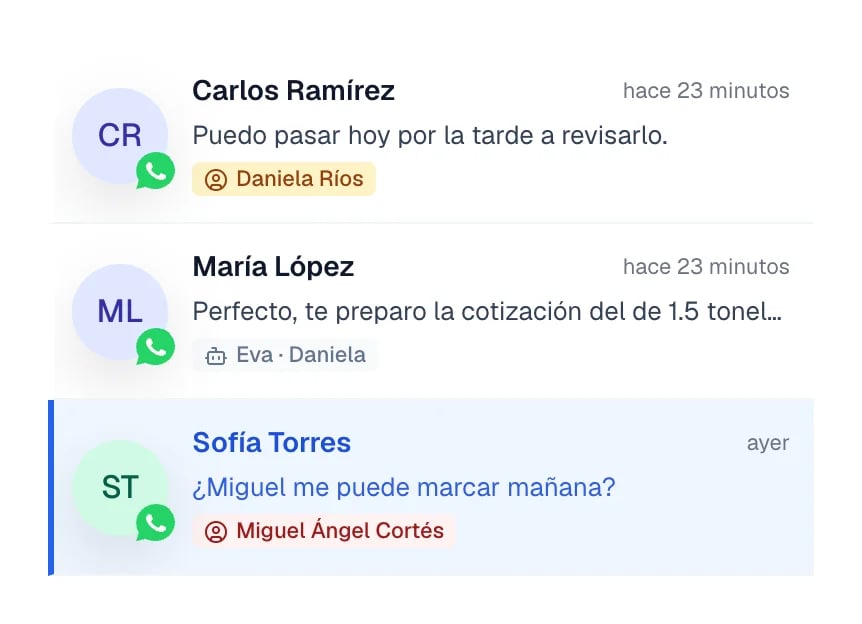
Three consecutive conversations: a person owns two of them, Eva owns the middle one.
Internal notes
In a conversation, open + and choose Internal note. The box switches to note mode so you can write for your team. The note appears in the conversation history and, when the contact has a linked opportunity, in its activity too. It is not sent to the customer. While you write a note, + only lets you add photos, videos, or files. Leave note mode to reply to the customer again.Quick replies
Type/ in the box, or open + and choose Quick replies. Select a reply
to place its text in the box, review it, and send it like any other message. You
also create and manage those replies in Knowledge, so there is only one list.
What each channel can send
Open + to see only options supported by the current channel. Unsupported options are hidden rather than shown as disabled.
Library shows only files the channel can send. In note mode, + offers only
photos, videos, and files.
How to know it worked
When you select a conversation from the list, it opens on the right with its full history and the box to write in. That is the normal working state.If something goes wrong
I cannot find a conversation I know exists
I cannot find a conversation I know exists
Check the view tab and the agent selector: a view other than All, or one selected
agent, can be hiding it. Under the list, Eva says how many conversations are hidden.
The conversation has no contact
The conversation has no contact
That is normal in some cases. A visitor to your site who leaves no name, email, or phone
number stays without a contact until they identify themselves. Automatic capture can also
be turned off per channel.
I do not see Inbox Comments
I do not see Inbox Comments
It only appears when you have an Instagram account with automatic comment replies turned
on, or a connected TikTok Ads account. TikTok comment automation is currently unavailable.
Inbox Mail is empty
Inbox Mail is empty
A mailbox is still missing. Select + Configure mail to set one up.