> ## Documentation Index
> Fetch the complete documentation index at: https://docs.goeva.ai/llms.txt
> Use this file to discover all available pages before exploring further.
# Use the Inbox
> Manage all customer conversations from one shared inbox.
The **Inbox** brings all your conversations —WhatsApp, Instagram, Messenger, and the widget— into one place. You and your team help customers from there, without hopping between apps.
Open it from **Inbox** in the sidebar.
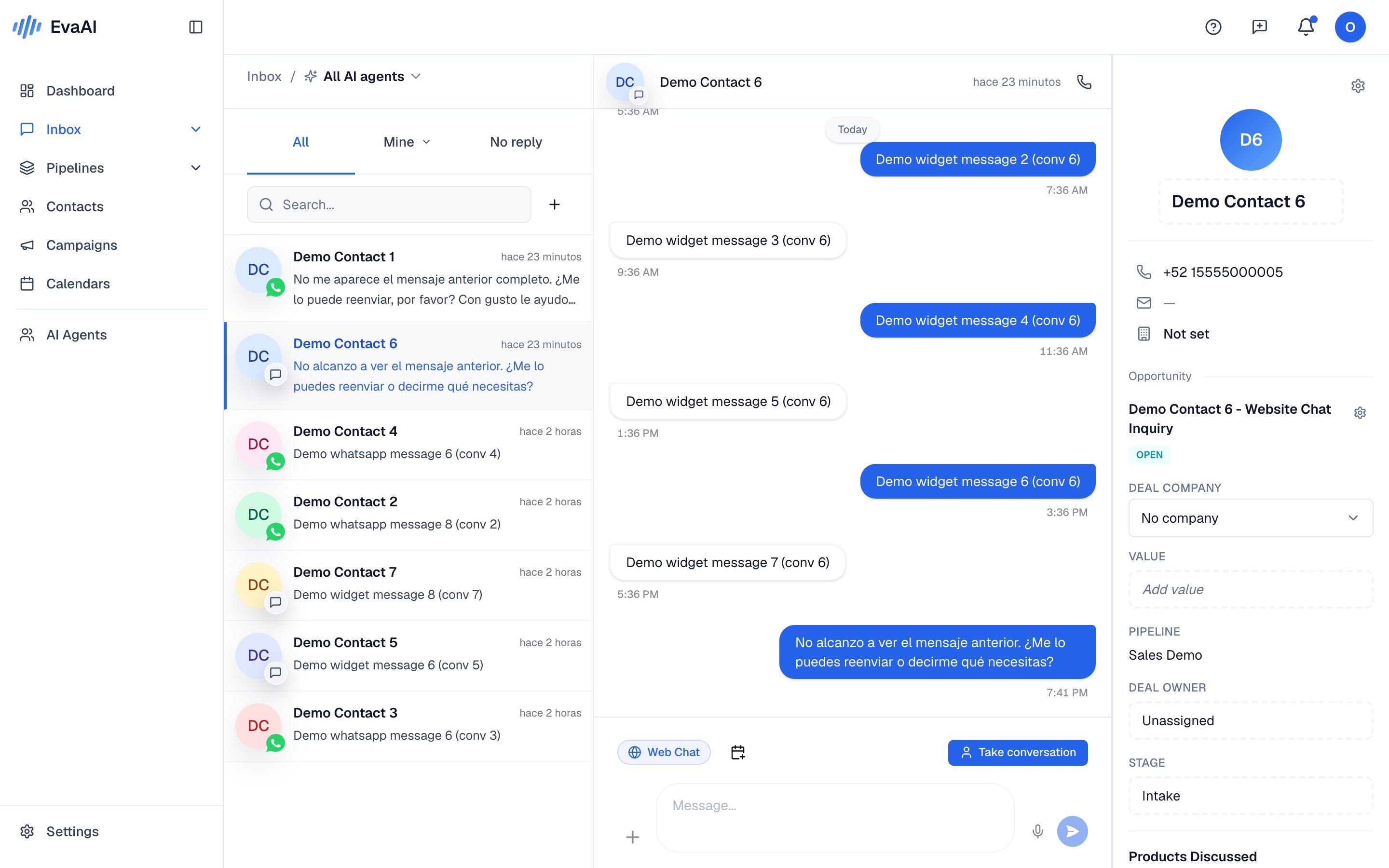 ## Find the right conversation
On the left is your list of **Conversations**. To organize it:
* **View tabs**: **All** (everything coming in), **Mine** (the ones you handle), and **No reply** (the ones waiting for a person).
* **Search**: type a name or number in the search bar.
* **Filters**: use **Filters** to narrow by channel or by date.
## Know who's replying
Each conversation shows a status badge:
* **Eva AI** — your agent is replying.
* **Human** — someone on your team has taken control.
* **Unassigned** — nobody has taken it on yet.
Want to reply yourself instead of your agent? Learn how to [take over a conversation](/en/crm/take-over).
Every conversation is tied to a [contact](/en/crm/contacts), so you always have that person's history at hand.
## Find the right conversation
On the left is your list of **Conversations**. To organize it:
* **View tabs**: **All** (everything coming in), **Mine** (the ones you handle), and **No reply** (the ones waiting for a person).
* **Search**: type a name or number in the search bar.
* **Filters**: use **Filters** to narrow by channel or by date.
## Know who's replying
Each conversation shows a status badge:
* **Eva AI** — your agent is replying.
* **Human** — someone on your team has taken control.
* **Unassigned** — nobody has taken it on yet.
Want to reply yourself instead of your agent? Learn how to [take over a conversation](/en/crm/take-over).
Every conversation is tied to a [contact](/en/crm/contacts), so you always have that person's history at hand.