> ## Documentation Index
> Fetch the complete documentation index at: https://docs.goeva.ai/llms.txt
> Use this file to discover all available pages before exploring further.
# After you connect WhatsApp
> Who answers each message, how to take over a conversation and hand it back, and what changes between a shared number and a dedicated one.
What happens after connecting depends on the type of connection you chose. If you need to review the differences, they are in [Connect WhatsApp](/en/channels/whatsapp).
## Who answers
A number dedicated to Eva answers with the agent it was assigned to, like any other channel.
A number you keep using in the app receives its conversations in Eva. It does not answer until you turn on the switch below. Until then, those conversations stay in the team's hands.
## Turn on "Eva answers for me"
Every number connected with the app has its own **Eva answers for me** switch, off from the start. It can be changed by the person who owns the number, or by anyone with the owner or administrator role in the workspace.
The switch can only be turned on while the number is connected. Once it is on, Eva answers the messages that arrive from that moment. It does not answer the imported history, and it does not convert open conversations in bulk.
Dedicated numbers do not use this switch.
## When you answer yourself
If you reply from the phone app, that conversation passes into your hands immediately and Eva stops answering there. The other chats on the number continue as before.
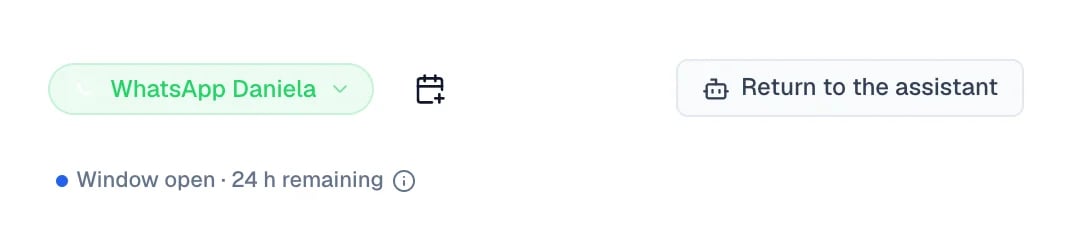
Eva does not take it back on its own: on this type of number there is no timer that returns it. To hand it back, open the conversation in the [Inbox](/en/crm/inbox) and select **Return to the assistant**.
The handoff applies forward. Eva waits for a new message from the customer, and does not answer the earlier messages that were left unanswered.
 ## Writing from Eva and from the app
* From the WhatsApp Business app you write whenever you want, with no time window. Your supported individual chats are mirrored into Eva.
* From Eva, each number has its own 24-hour reply period with the customer. The sender menu beside the message box names the number that will send and shows that number's current status.
* If more than 24 hours have passed for the selected number, keep writing normally in the same box. Eva prepares the reopen template and sends it to Meta for approval before delivery. You never need to pick a template in the Inbox.
* Choosing a different number asks for confirmation because the customer receives it as a separate chat. Once more than one number has sent, the timeline labels the number used for each message.
Some messages sent from unsupported devices do not appear in Eva. To keep a copy of everything, use the primary phone.
## Templates and payment method
Eva registers the text of every WhatsApp message in your automations with Meta when you save them; you never create templates. In **Automations**, the **Messages registered with Meta** menu shows each text and its status: Meta reviews every one before it can be used. Templates a number uses outside automations are managed in that agent's WhatsApp connection.
If Meta asks for a payment method, add it to the corresponding business. The connection is not broken: messages keep arriving, but template sends fail until that detail is complete. [See how to add payment or verify the business](/en/channels/whatsapp/payment-or-verification).
## A connected number cannot always send
Connection state and sending capability are two different things, and that difference explains most of the questions. A number can be connected and receiving messages while Meta still reviews the business. The same happens while the display name waits for approval, or while the payment method is missing.
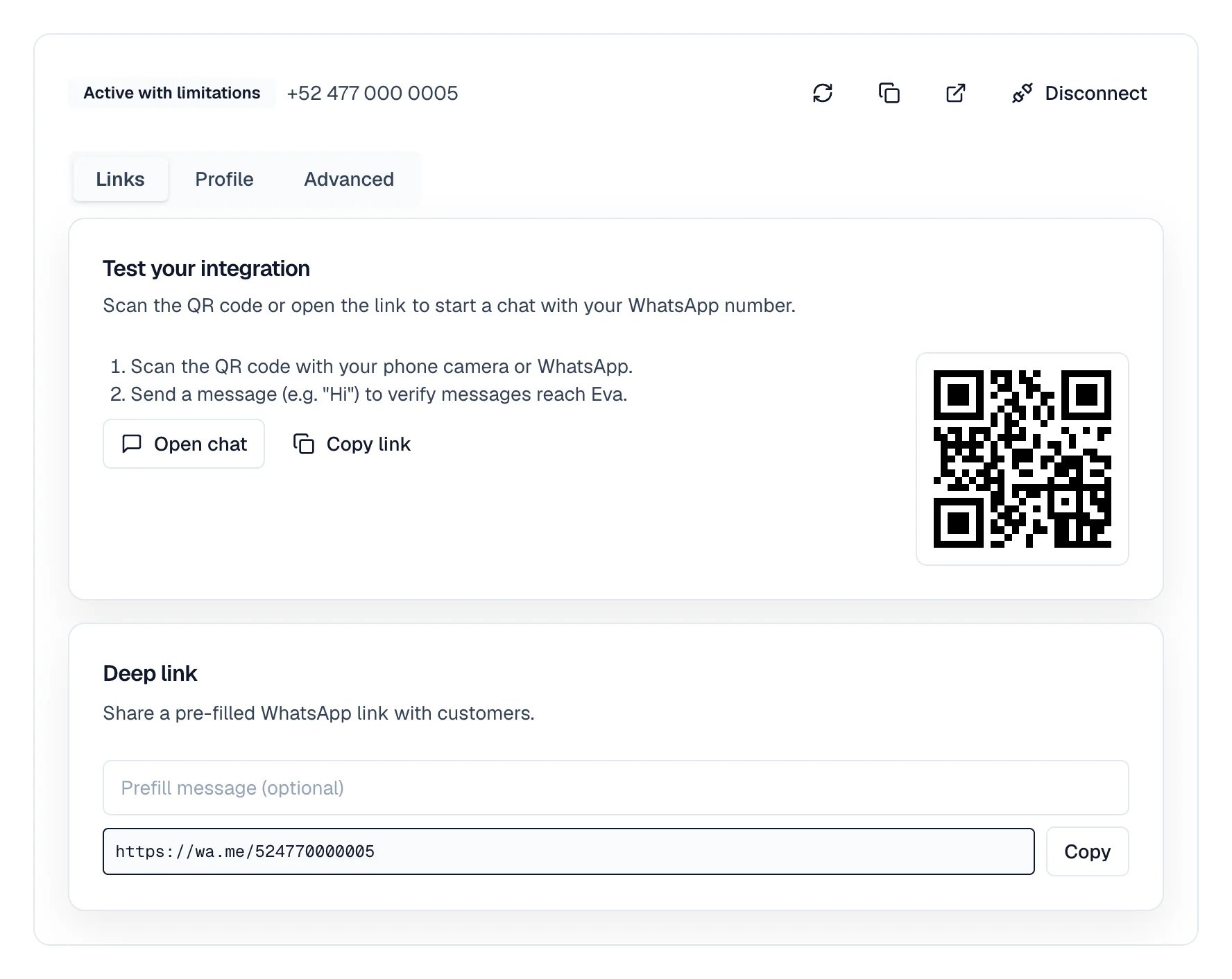
In that state Eva shows **Active with limitations** or **Action Needed**, and templates and campaigns do not go out until it is resolved. [See what Meta needs before it can send again](/en/channels/whatsapp/payment-or-verification).
## Writing from Eva and from the app
* From the WhatsApp Business app you write whenever you want, with no time window. Your supported individual chats are mirrored into Eva.
* From Eva, each number has its own 24-hour reply period with the customer. The sender menu beside the message box names the number that will send and shows that number's current status.
* If more than 24 hours have passed for the selected number, keep writing normally in the same box. Eva prepares the reopen template and sends it to Meta for approval before delivery. You never need to pick a template in the Inbox.
* Choosing a different number asks for confirmation because the customer receives it as a separate chat. Once more than one number has sent, the timeline labels the number used for each message.
Some messages sent from unsupported devices do not appear in Eva. To keep a copy of everything, use the primary phone.
## Templates and payment method
Eva registers the text of every WhatsApp message in your automations with Meta when you save them; you never create templates. In **Automations**, the **Messages registered with Meta** menu shows each text and its status: Meta reviews every one before it can be used. Templates a number uses outside automations are managed in that agent's WhatsApp connection.
If Meta asks for a payment method, add it to the corresponding business. The connection is not broken: messages keep arriving, but template sends fail until that detail is complete. [See how to add payment or verify the business](/en/channels/whatsapp/payment-or-verification).
## A connected number cannot always send
Connection state and sending capability are two different things, and that difference explains most of the questions. A number can be connected and receiving messages while Meta still reviews the business. The same happens while the display name waits for approval, or while the payment method is missing.
In that state Eva shows **Active with limitations** or **Action Needed**, and templates and campaigns do not go out until it is resolved. [See what Meta needs before it can send again](/en/channels/whatsapp/payment-or-verification).
 ## Campaigns by connection type
* A number you keep using in the WhatsApp Business app: campaigns from Eva are available, within the safety limits Eva applies to that kind of connection.
* A number that lives only in Eva: available, subject to Meta's policies, quality, and limits.
In both cases the number has to be ready to send. While Meta has not finished its review, campaigns do not go out.
## What stays in the app
On a number you keep using in the app, groups, calls, status, and the catalog stay on the phone. Eva neither reads nor manages them.
On a number used only in Eva, those app features do not exist for that number.
## Next steps
* [How to protect the connection and recover it](/en/channels/whatsapp/maintain-and-recover)
* [How to work conversations in the Inbox](/en/crm/inbox)
## Campaigns by connection type
* A number you keep using in the WhatsApp Business app: campaigns from Eva are available, within the safety limits Eva applies to that kind of connection.
* A number that lives only in Eva: available, subject to Meta's policies, quality, and limits.
In both cases the number has to be ready to send. While Meta has not finished its review, campaigns do not go out.
## What stays in the app
On a number you keep using in the app, groups, calls, status, and the catalog stay on the phone. Eva neither reads nor manages them.
On a number used only in Eva, those app features do not exist for that number.
## Next steps
* [How to protect the connection and recover it](/en/channels/whatsapp/maintain-and-recover)
* [How to work conversations in the Inbox](/en/crm/inbox)